
1.) If you want to use the deliery areas baded on ditance, not via zip-codes,
then you have to create "Polygon-Map"
You can do that directly via LINK HERE GOOGLE MAPS
2.) First step would be to click "Create new Map" andenter your address.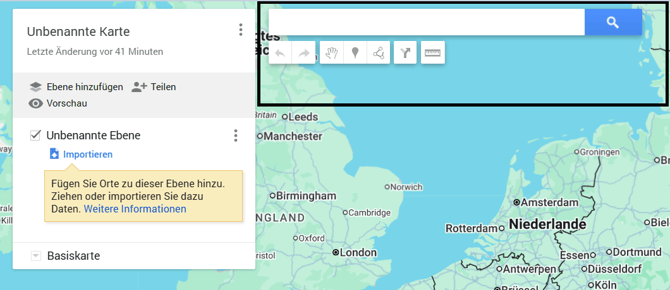
3.) After that you have tools on the top
4.) In order to draw an area, chose this tool.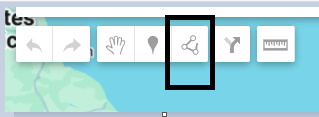

5a.) Your delivery areas could look like this: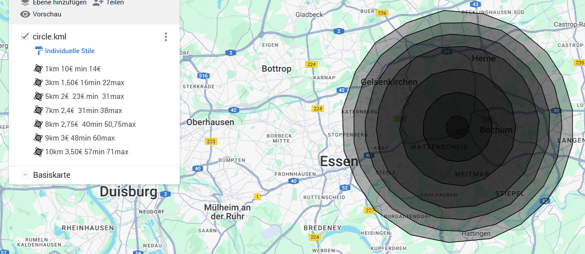
5b.) The areas do not have to connect or overlap and can also be seperate
closed off areas.
Example: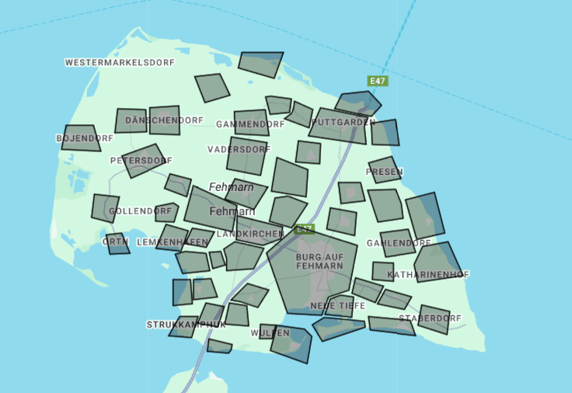
6.) Which name you give the areas does not really matter but it would be nice
to name them in a way so that the distance, delivery costs and
minimum order amount is visible:
For example: 0-5km 2,50€ 25€
Distance, Delivery costs, minimum order amount.
7.) When you are done with your creation:
You can click here to give your map a name.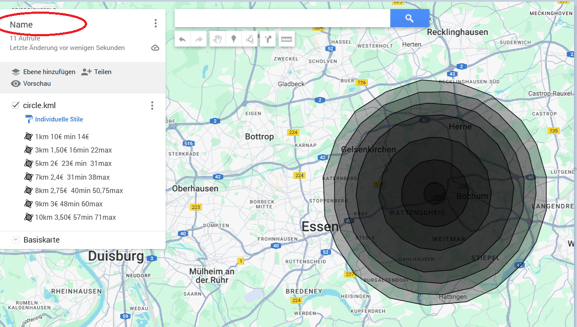
and after that click here to download your creation: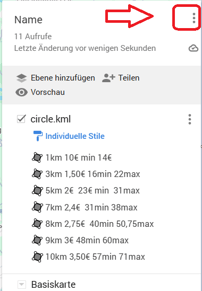
A new window appears: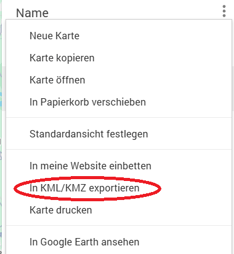
Click download with the box checked.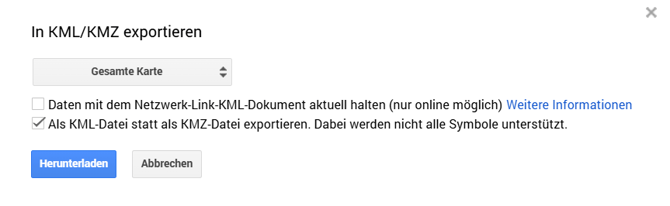
if you want to know how to import this map into your POS-system, click the following LINK: