
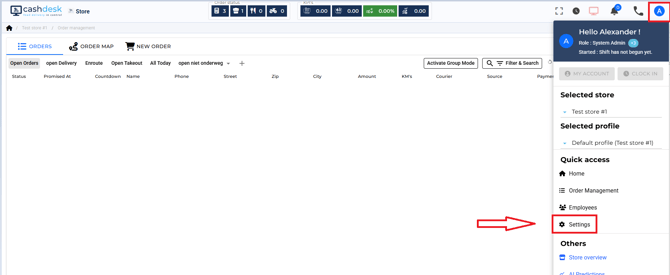
1.) From your POS system, go to your settings.
For example like this:
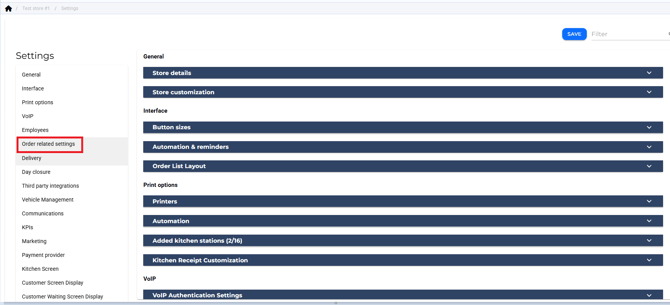
Click on "Order Related Settings"
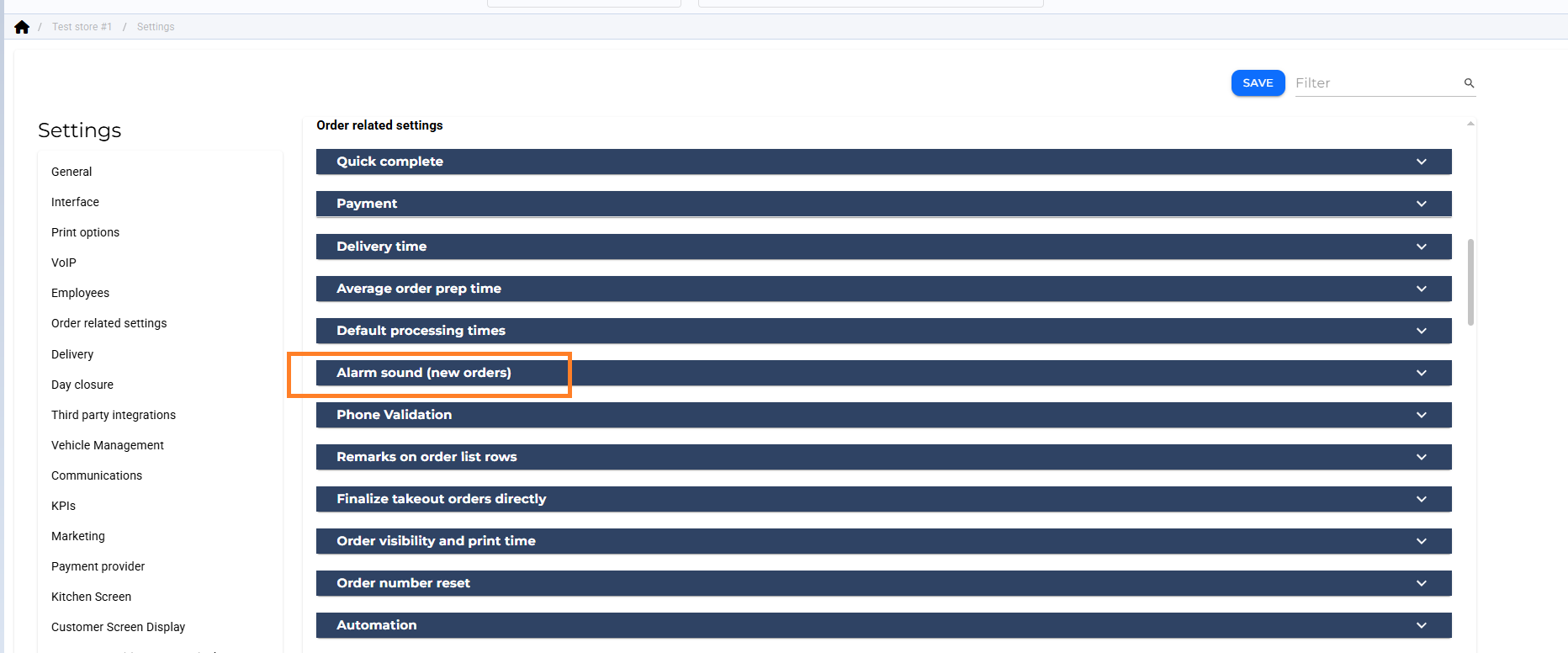
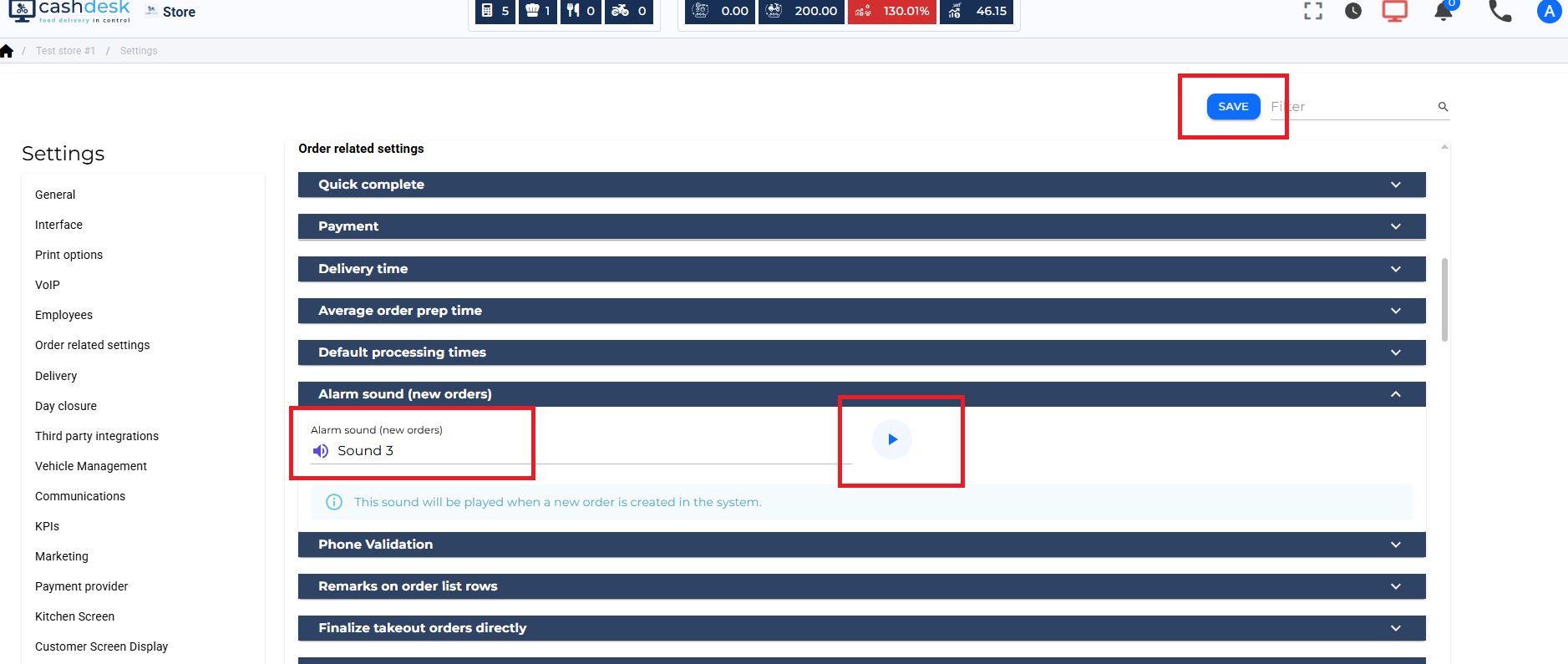
Here you can select a sound from the list, you can listen to it to hear what is sounds like and when you are done, please press SAVE.
For example like this:
Click on "Order Related Settings"
Here you can select a sound from the list, you can listen to it to hear what is sounds like and when you are done, please press SAVE.